
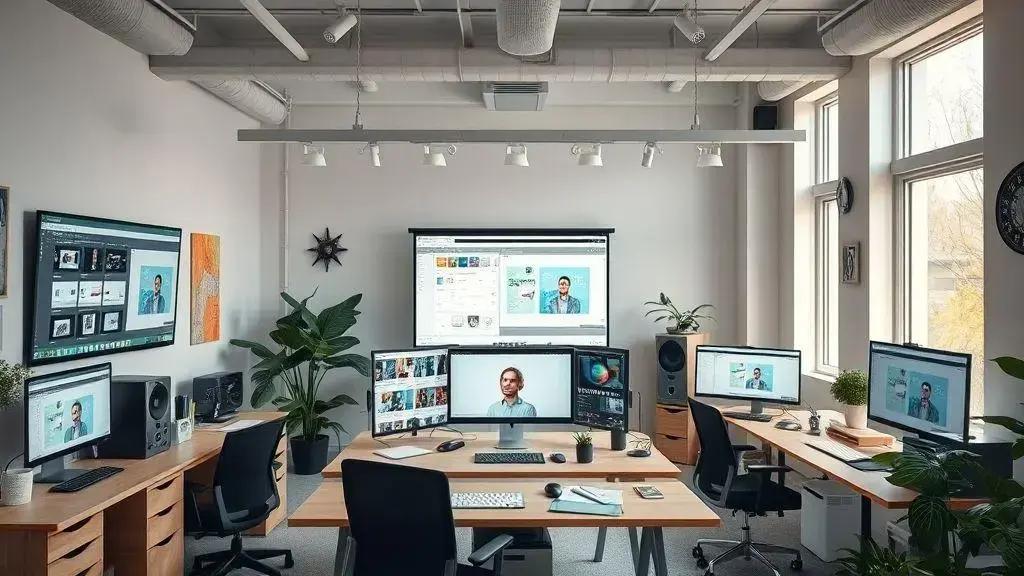

October 2025 introduces a wave of innovative Design Tools that are transforming creative workflows, making professional quality more accessible and boosting productivity. New solutions like ThumblifyAI leverage AI for rapid thumbnail generation, while the Bento Grid Generator simplifies complex layouts. Developers benefit from full-stack solutions like Open SaaS 2.0 for streamlined web application building, and 3D artists can accelerate 3D art production with Kaedim Flow 3D. These advancements empower designers to save time, reduce effort, and embrace innovation to stay competitive in the evolving digital landscape.
Welcome to the world of exciting new Design Tools for October 2025! This month, designers are treating themselves with innovative solutions that enhance their workflow and creativity. From AI assistance in thumbnail creation to robust frameworks for web applications, the tools available this month are game-changers. Ready to dive in? Let’s explore what’s new and how these tools can transform your design process!
Introduction to New Design Tools
The world of design is always changing, and new Design Tools pop up all the time. October 2025 brings some really cool updates and brand-new options for designers everywhere. These tools aren’t just fancy gadgets; they’re made to help you work smarter, faster, and be even more creative. Think about how much easier your projects could be with the right help.
Designers often look for ways to make their work better. New tools can help with many things. They can speed up tasks that used to take a long time. They can also open doors to new ideas you might not have thought of before. Staying updated with these tools is super important. It helps you keep your skills sharp and your designs fresh. Plus, it makes your job more fun!
Many of these new tools focus on making complex tasks simpler. Some use smart technology, like Artificial Intelligence, to do things that were once very hard. Others help you organize your projects better or work with others more easily. The goal is always the same: to give designers more power and less hassle. Imagine finishing a big project ahead of schedule because your tools helped you so much.
The pace of innovation in design technology is really fast. What was cutting-edge last year might be standard now. This means designers need to keep learning and trying new things. Exploring these new Design Tools can give you a big advantage. It shows you’re ready for the future and can adapt to new ways of working. It’s like having a secret weapon in your design kit.
These tools aren’t just for big design firms. Small businesses and freelance designers can also get a lot out of them. They often come with easy-to-use interfaces and helpful guides. This makes it simple for anyone to pick them up and start using them right away. You don’t need to be a tech wizard to benefit from these advancements. They are built for designers, by people who understand design.
So, what kind of tools are we talking about? We’re seeing more tools that help with automation. This means tasks like creating many versions of an image or setting up complex layouts can be done with fewer clicks. There are also tools that improve collaboration, letting teams work together smoothly no matter where they are. And, of course, many new tools are all about making your designs look amazing and stand out.
Getting to know these new Design Tools is an investment in your career. It helps you stay competitive in a busy market. It also lets you take on more challenging and exciting projects. Don’t be afraid to try them out. Many offer free trials, so you can test them before you commit. This is your chance to upgrade your design game and see what’s possible in October 2025 and beyond.
AI-Powered Thumbnail Generation: ThumblifyAI
Creating great thumbnails is super important for anyone making online content. Think about YouTube videos or blog posts. A good thumbnail makes people want to click and see more. But making them can take a lot of time and effort. That’s where ThumblifyAI comes in. It’s a smart new tool that uses Artificial Intelligence to help you make amazing thumbnails quickly and easily.
Why Thumbnails Matter So Much
Thumbnails are like tiny billboards for your content. They are the first thing people see when they scroll through videos or articles. A strong thumbnail can grab attention right away. It tells viewers what your content is about in a quick glance. If your thumbnail isn’t good, people might just scroll past, even if your content is fantastic. So, getting them right is a big deal for getting more views and clicks.
Before tools like ThumblifyAI, designers had to spend hours on each thumbnail. They’d pick images, add text, choose colors, and try different layouts. This process was often slow and could be frustrating. It also meant that smaller creators or businesses might not have the resources to make professional-looking thumbnails. This put them at a disadvantage compared to bigger players.
How ThumblifyAI Makes It Easy
ThumblifyAI changes the game by using AI to do the heavy lifting. You give it some basic info about your content, like a title or a few keywords. Then, the AI gets to work. It suggests different designs, colors, and even image ideas. It learns what works best for different types of content. This means you get professional-quality thumbnails without needing to be a design expert yourself.
One of the best parts is how fast it is. Instead of spending an hour on one thumbnail, you can get several options in just minutes. This saves you a lot of time. You can then use that extra time to create more content or focus on other important parts of your work. It’s all about making your workflow smoother and more efficient. Imagine the possibilities!
Benefits for Content Creators and Marketers
For content creators, ThumblifyAI means more consistent branding. You can set styles and colors that the AI will remember. This helps all your thumbnails look like they belong together. For marketers, it means better engagement. The AI can help create thumbnails that are more likely to attract clicks, boosting your reach and audience. It’s a win-win situation for everyone involved in online content.
This tool isn’t just for big companies. Small businesses and individual creators can really benefit too. It levels the playing field. Now, anyone can have access to advanced design help. You don’t need expensive software or a design degree to make your content look top-notch. It’s a powerful example of how new Design Tools are making professional quality more accessible.
In short, ThumblifyAI is a fantastic addition to the world of Design Tools. It solves a real problem for content creators by making thumbnail generation fast, easy, and effective. It helps you get more eyes on your work, which is what every creator wants. Give it a try and see how it can transform your content’s first impression.
Creating Stunning Grids with Bento Grid Generator
Have you ever seen those cool, organized layouts on websites or in portfolios? They often use something called a Bento grid. These grids make content look neat and modern. But creating them from scratch can be tricky and take a lot of time. That’s where the new Bento Grid Generator comes in handy. It’s one of the latest Design Tools that helps you make these stunning grids easily.
What is a Bento Grid?
A Bento grid is a design layout that uses different-sized boxes to hold content. Think of a bento box for food, where each section holds something different. In design, these boxes fit together perfectly, creating a clean and balanced look. They’re great for showing off different pieces of information or visuals on one screen. Many popular websites use them because they look good and are easy to understand.
Before this generator, designers would often spend hours carefully arranging elements. They’d use complex software to make sure everything lined up just right. This could be a real headache, especially for those who weren’t experts in grid systems. The goal was always to make things look organized and appealing. Now, this new tool makes that process much simpler for everyone.
How the Bento Grid Generator Works
The Bento Grid Generator takes the hard work out of creating these layouts. You don’t need to be a coding wizard or a master of design software. It usually works with a simple drag-and-drop interface. You can pick different grid patterns or start with a blank canvas. Then, you just drag and drop your content boxes into place. The tool helps you snap them together perfectly.
This means you can quickly try out different layouts. You can see what looks best for your project without wasting a lot of time. Want to make one box bigger? Just drag its edge. Need to swap two sections? It’s as easy as moving them around. This flexibility is a huge plus for designers. It lets them focus more on creativity and less on technical details.
Benefits for Designers and Content Creators
Using the Bento Grid Generator offers many benefits. First, it saves a lot of time. You can create a professional-looking grid in minutes, not hours. Second, it helps you make consistent designs. All your grids will have that polished, modern feel. Third, it opens up new creative possibilities. You can experiment with layouts you might not have tried before.
This tool is perfect for web designers, graphic designers, and even content creators. If you’re building a new website, a portfolio, or a presentation, a Bento grid can make your work stand out. It helps organize information in a way that’s easy for people to read and enjoy. It’s a fantastic addition to any designer’s toolkit, making complex grid design accessible to all.
So, if you’re looking to upgrade your design game, check out the Bento Grid Generator. It’s one of those Design Tools that truly makes a difference. It helps you create stunning, organized layouts with minimal effort. Say goodbye to frustrating grid alignment and hello to beautiful, functional designs. It’s a smart way to make your content shine.
Open Saas 2.0: The Full-Stack Solution
Building a website or a web application can be a big job. It often means working on many different parts at once. That’s where Open SaaS 2.0 comes in. It’s a new kind of tool that offers a complete package, often called a full-stack solution. This means it helps with everything you need, from the parts users see to the hidden systems that make it all work. It’s one of the exciting new Design Tools making waves this October.
Understanding Full-Stack Solutions
What does ‘full-stack’ really mean? Imagine building a house. You need the front part that people see, like the walls and windows. This is like the ‘front-end’ of a website. Then, you need the hidden parts, like the plumbing, electricity, and foundation. These are like the ‘back-end’ systems, databases, and servers. A full-stack solution gives you all these pieces together. It’s a complete kit for building and running your web project.
In the past, developers often had to use many different tools and languages for each part. They might use one tool for the front-end design and another for the back-end logic. This could be slow and complicated. It also meant more chances for things to go wrong when different parts tried to talk to each other. Open SaaS 2.0 aims to fix these problems by bringing everything under one roof.
How Open SaaS 2.0 Simplifies Development
This new platform makes development much simpler. It gives you ready-made parts and frameworks. You don’t have to build everything from scratch. This saves a lot of time and effort. Developers can focus more on creating unique features for their users. They spend less time on setting up basic systems. It’s like having a pre-built foundation for your house, so you can start decorating right away.
For businesses, this means faster launch times for new products. It also means lower costs because you need fewer specialized tools. Maintaining the application becomes easier too. Since everything is designed to work together, updates and fixes are less of a headache. This makes Open SaaS 2.0 a powerful option for startups and growing companies looking to build strong online presences.
Benefits for Developers and Businesses
Developers love Open SaaS 2.0 because it boosts their productivity. They can build more in less time. They also get to work with a consistent set of tools and rules. This reduces errors and makes teamwork smoother. It’s a more enjoyable way to create complex web applications. It allows them to be more creative and less bogged down by technical details.
Businesses benefit from the speed and efficiency. They can get their ideas to market faster. They can also scale their applications more easily as they grow. This flexibility is key in today’s fast-moving digital world. Open SaaS 2.0 helps them stay competitive. It provides a solid, reliable base for their digital products. It’s a smart choice for anyone serious about web development.
In summary, Open SaaS 2.0 is a game-changer among new Design Tools. Its full-stack solution approach simplifies web development. It saves time, reduces costs, and makes building powerful applications more accessible. It’s a great example of how technology is evolving to help both developers and businesses succeed online.
Accelerate 3D Art Production with Kaedim Flow 3D
Making 3D art can take a lot of time and effort. Artists often spend hours on small details, which can slow down projects. But new Design Tools are changing this. One exciting new tool is Kaedim Flow 3D. It helps artists create 3D models much faster. This means you can get your 3D art projects done quicker and more easily than before.
The Challenge of Traditional 3D Production
Think about how 3D models are usually made. An artist might start with a drawing or a photo. Then, they have to build the model piece by piece in special software. This involves shaping, texturing, and lighting everything just right. It’s a very detailed process. For big projects, like video games or animated movies, this can mean months or even years of work. It’s a huge task for any team.
Many artists love the creative side of 3D art. But they often get stuck on the repetitive parts. These are the tasks that take a lot of time but aren’t always the most fun. This can make deadlines hard to meet. It also limits how many projects an artist or studio can take on. Finding ways to speed up these steps is a big goal in the world of digital design.
How Kaedim Flow 3D Accelerates the Process
Kaedim Flow 3D is designed to solve these problems. It uses smart technology to turn 2D images into 3D models very quickly. Imagine taking a picture of an object and having a 3D version of it ready in minutes. This tool helps automate many of the early steps in 3D production. It lets artists jump straight to the more creative parts of their work.
This means artists can spend less time on basic modeling. They can focus more on adding unique touches and making their art truly special. It’s like having a helpful assistant that does the groundwork for you. This makes the whole workflow much smoother. It also reduces the chances of making small errors that can be hard to fix later on.
Benefits for Artists and Studios
For individual artists, Kaedim Flow 3D opens up new possibilities. They can create more content in less time. This is great for freelancers who need to deliver projects quickly. For larger studios, it means they can save a lot of money and resources. They can finish big projects faster and take on more work. This boosts their overall productivity and helps them stay competitive.
The tool also helps with consistency. When many artists work on one project, keeping styles the same can be tough. Kaedim Flow 3D can help set a base style. This makes it easier for everyone to follow. It ensures that all the 3D models fit together well. This is super important for games, films, and other complex digital experiences.
In short, Kaedim Flow 3D is a powerful addition to the world of Design Tools. It helps accelerate 3D art production by making the early stages faster and easier. This lets artists be more creative and efficient. It’s a game-changer for anyone working with 3D models, from small creators to big animation studios. It truly helps bring digital visions to life quicker.
Conclusion: Embracing Innovation in Design
We’ve seen how new Design Tools are changing the game for creators this October. From making thumbnails faster with AI to building complex websites with full-stack solutions, innovation is everywhere. These tools aren’t just about fancy features. They are about making your work easier, quicker, and more creative. Embracing these new ways of working is key for any designer today.
The Power of New Design Tools
Think about the time saved with tools like ThumblifyAI. It takes the struggle out of making eye-catching thumbnails. This means you can focus on making great content, not just the packaging. Or consider the Bento Grid Generator. It turns tricky grid layouts into a simple drag-and-drop task. These kinds of tools free up your mind to be more artistic and less worried about technical details.
Then there’s Open SaaS 2.0, which helps build entire web applications from top to bottom. This kind of full-stack solution makes big projects less scary. It lets developers and designers work together more smoothly. And for 3D artists, Kaedim Flow 3D is a huge help. It speeds up the creation of detailed models, letting artists bring their visions to life much faster. These are all big steps forward.
Why Innovation Matters for Designers
The design world never stands still. New trends, new technologies, and new ways of thinking pop up all the time. If you stick to old methods, you might fall behind. Embracing innovation means you’re always learning and growing. It keeps your skills sharp and your portfolio fresh. It also shows clients and employers that you’re ready for the future.
New tools often solve old problems. They can make tasks that were once boring or hard into something simple. This can make your job more enjoyable. It can also help you take on bigger and more exciting projects. When you’re open to trying new things, you open yourself up to new opportunities. It’s a way to keep your passion for design alive and thriving.
Looking Ahead: The Future of Design
The future of design is bright, thanks to these constant innovations. Tools will keep getting smarter, faster, and easier to use. They will help designers push boundaries and create things we can only dream of today. Being part of this journey means staying curious and willing to adapt. It means seeing new tools not as threats, but as powerful allies.
So, take some time to explore these new Design Tools. See how they can fit into your workflow. Experiment with them, play around, and discover what they can do for you. You might find a new favorite tool that changes how you work forever. Embracing innovation isn’t just a choice; it’s a path to a more exciting and successful design career. Keep learning, keep creating, and keep pushing forward!



