
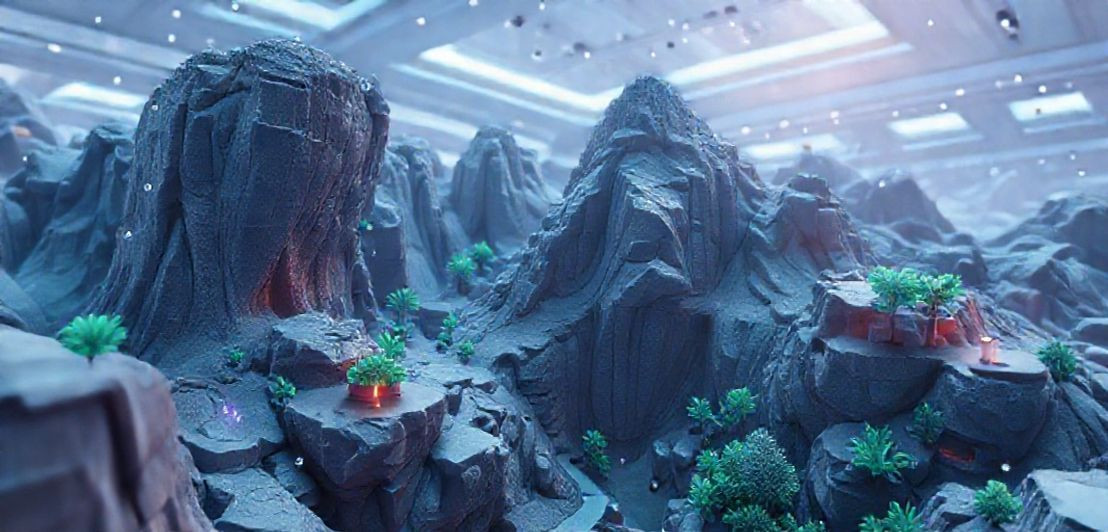

The React Native Godot library revolutionizes business application development by seamlessly integrating powerful 3D graphics from the open-source Godot Engine into React Native apps. This innovative solution addresses challenges in meeting high user expectations and performance demands, enabling developers to create visually rich, interactive experiences. Key benefits for business applications include enhanced product visualization, immersive training simulations, dynamic data visualization, and compelling marketing tools. The library simplifies the complex integration process, allowing for efficient development and optimized app performance through effective threading and asset management, transforming how businesses engage users with advanced 3D capabilities.
React Native has transformed the way businesses create applications. But while it’s excellent for standard interfaces, what happens when you need immersive 3D visuals? With the emergence of the React Native Godot library, developers can seamlessly integrate the powerful Godot Engine into their apps. Imagine offering clients interactive 3D models or gamified training modules, all while maintaining the core business logic in React Native. Ready to explore this game-changing technology?
Introduction to React Native Godot Library
The world of app development is always changing. Businesses want their apps to do more than just basic tasks. They need them to look great and offer exciting experiences. This is where the React Native Godot library comes in. It’s a new tool that helps developers combine two powerful technologies. One is React Native, which is great for building mobile apps quickly. The other is the Godot Engine, known for creating amazing 3D graphics and games.
Think about it. Most business apps are good at showing data or managing tasks. But they often lack the visual flair of a modern game or a complex design tool. With this library, you can add stunning 3D elements right into your regular business app. This means a more engaging experience for users. Imagine a real estate app where you can walk through a virtual house. Or a product catalog that lets you spin and inspect items in full 3D. This library makes those ideas possible.
Before this, bringing advanced 3D into a React Native app was quite hard. Developers often had to choose between a simple app or a complex, separate 39D experience. The React Native Godot library bridges this gap. It lets you use the best parts of both worlds. You get the speed and ease of React Native for your app’s interface. At the same time, you tap into Godot’s strong capabilities for rendering detailed 3D scenes. This integration is a game-changer for many industries.
This library isn’t just for games. It’s built to help business applications stand out. For example, training apps could use interactive 3D models to teach complex procedures. Retail apps could offer virtual try-ons or detailed product views. Even data visualization can become more dynamic and easier to understand with 3D charts. The goal is to make apps more powerful and fun to use.
The Godot Engine itself is open-source. This means a large community supports it, and it’s free to use. Bringing this engine into React Native opens up many doors. Developers can now create richer, more interactive content without starting from scratch. They can leverage existing React Native skills while adding a new dimension to their projects. It’s about enhancing functionality and user engagement in a big way.
This new library simplifies a complex process. It provides the necessary bridges and tools to make React Native and Godot work together smoothly. You don’t need to be a game developer to use it. If you know React Native, you can start exploring 3D possibilities. This makes advanced graphics more accessible for everyday business applications. It’s an exciting step forward for mobile development.
Challenges in Business App Development
Building apps for businesses today isn’t always easy. Companies want their apps to do a lot. They need them to be fast, reliable, and look great. Users expect apps to be simple to use and very engaging. Meeting these high expectations can be a real struggle for developers. It’s not just about making an app work. It’s about making it stand out and keep users happy.
Meeting High User Expectations
One big challenge is making apps that truly capture user attention. People are used to beautiful, interactive experiences from games and social media. They want the same level of polish in their business tools. This means developers often need to add advanced features. Think about interactive charts, smooth animations, or even 3D models. Adding these rich elements can be very complex and time-consuming.
Another hurdle is making sure the app performs well. A business app might handle a lot of data or complex calculations. If it’s slow or crashes often, users will get frustrated. Keeping the app speedy and responsive, especially with fancy graphics, is tough. Developers must find ways to optimize their code and manage resources carefully. This is crucial for a good user experience.
Integrating Advanced Features Like 3D
Bringing in advanced graphics, like 3D graphics, adds another layer of difficulty. Traditional business app frameworks aren’t always built for this. Integrating powerful graphics engines can be a huge task. It often means learning new tools and languages. This can slow down development and increase costs. Many teams simply don’t have the specialized skills needed for complex 3D rendering.
Maintaining consistency across different devices is also a big headache. Business apps need to work perfectly on phones, tablets, and sometimes even desktops. Making sure the look and feel are the same everywhere takes a lot of effort. This is especially true when you’re trying to include complex visual elements. Cross-platform development aims to solve this, but it still has its own set of challenges.
Balancing Innovation with Resources
Businesses also face pressure to innovate constantly. They need new features and updates to stay competitive. But development teams often have limited budgets and tight deadlines. This makes it hard to experiment with new technologies or spend extra time on advanced visual effects. Finding a balance between innovation and practical constraints is a constant struggle in business app development.
Finally, there’s the issue of developer skill sets. Many developers are experts in building standard app interfaces. But fewer have deep knowledge of 3D graphics or game engines. This skill gap can make it hard to adopt new, visually rich technologies. Training staff or hiring new talent can be expensive. These challenges highlight the need for tools that simplify complex integrations, like the React Native Godot library.
Integrating Godot Engine for 3D Graphics
Bringing advanced 3D visuals into mobile apps used to be a big headache. Developers often had to choose between a simple app or a complex game engine. But now, with the React Native Godot library, things are much easier. This library acts like a bridge. It connects the popular React Native framework with the powerful Godot Engine. This means you can add amazing 3D graphics right into your business applications.
The Godot Engine is a fantastic tool for creating 2D and 3D games. It’s also great for making interactive experiences. What makes it special is that it’s open-source. This means many people contribute to it, and it’s free to use. It has strong features for rendering detailed scenes, handling animations, and managing physics. These are all things that can make an app feel much more alive and engaging.
How the Integration Works
The React Native Godot library makes this integration smooth. It lets your React Native app talk directly to the Godot Engine. You can embed a Godot game or scene right inside a React Native view. Think of it like putting a small, powerful 3D window inside your regular app. This way, you don’t have to rebuild your entire app in Godot. You just add the 3D parts where you need them.
This method saves a lot of time and effort. Before, you might have needed two separate teams. One for the app’s interface and another for the 3D content. Now, a single team can work on both. They can use their existing React Native skills. Then, they learn how to use Godot for the visual parts. This makes development faster and more efficient for businesses.
Benefits for Business Applications
Integrating Godot brings many benefits. Your business apps can become much more interactive. Imagine a training app where employees can explore a virtual machine in 3D. Or a sales app that lets customers customize a product and see it from every angle. These kinds of experiences can really impress users and make your app stand out.
It also helps solve some of the challenges we talked about earlier. Developers can now meet higher user expectations for visuals. They can create engaging content without completely overhauling their development process. The library handles the complex parts of getting Godot to run within a React Native app. This frees up developers to focus on creating great content and features.
Using this library means you get the best of both worlds. You keep the fast development and cross-platform benefits of React Native. At the same time, you gain the advanced 3D capabilities of the Godot Engine. This powerful combination opens up new possibilities for business applications. It allows for richer, more dynamic user experiences that were once hard to achieve.
Performance Optimization and Threading
When you add amazing 3D graphics to your apps, performance becomes super important. Nobody likes an app that lags or drains their battery quickly. Making sure your React Native Godot app runs smoothly is key. This is especially true when you’re mixing a mobile app framework with a powerful 3D engine. Good performance keeps users happy and engaged with your business application.
Understanding Performance Challenges
Heavy 3D scenes can demand a lot from a phone’s processor. If not managed well, this can lead to slow frame rates. The app might feel choppy or unresponsive. This is where performance optimization comes in. It’s about making your app use its resources wisely. You want to get the best visuals without sacrificing speed or battery life. This balance is crucial for any successful app.
One big helper in achieving this balance is threading. Think of threading like having multiple workers doing different jobs at the same time. In an app, the main ‘worker’ handles what you see on screen. If you ask it to do too many heavy tasks, like complex 3D calculations, it gets overwhelmed. This causes the app to slow down. Threading lets you move those heavy tasks to other ‘workers’ in the background.
How Threading Improves Responsiveness
For example, loading a large 3D model can take time. If the main app thread handles this, your app might freeze until the model is ready. But with threading, you can load the model on a separate thread. This means your app stays responsive. Users can still scroll or click other things while the 3D content loads in the background. This makes for a much better user experience.
The Godot Engine itself is designed with performance in mind. It’s very efficient at rendering 3D graphics. When you integrate Godot with React Native, the library helps manage this. It ensures that Godot’s rendering tasks run effectively. This often involves using native code to bridge the two systems. Native code can run faster than JavaScript for certain tasks, like graphics.
Tips for Optimizing Your App
To keep your app fast, there are a few things you can do. First, optimize your 3D assets. Use smaller textures and simpler models when possible. Second, keep your 3D scenes from becoming too complex. Too many objects or lights can slow things down. Third, make sure your React Native code is also efficient. Avoid unnecessary re-renders and use optimized components.
The React Native Godot library aims to make this process easier. It provides the tools to let Godot do its heavy lifting without blocking your React Native UI. By understanding how performance and threading work together, you can create powerful, smooth 3D experiences. This ensures your business apps are both visually stunning and highly functional for all users.
Use Cases for Business Applications
The React Native Godot library opens up many new ways for businesses to use apps. It lets companies add exciting 3D features to their existing mobile tools. This means apps can become much more engaging and useful. Let’s look at some real-world examples where this technology can make a big difference for business applications.
Enhanced Product Visualization
Imagine you’re selling furniture online. With traditional apps, customers see flat pictures. But with Godot’s 3D power, they could spin a sofa around. They could change its color or fabric in real-time. They could even place it virtually in their own living room using augmented reality. This kind of interactive product view can greatly boost sales. It helps customers feel more confident about their purchases. This is perfect for e-commerce, automotive, or even industrial equipment sales.
Interactive Training and Simulations
Training new employees can be expensive and time-consuming. Especially for complex jobs like operating heavy machinery or performing medical procedures. The React Native Godot library can create immersive training apps. Employees could practice in a safe, virtual 3D environment. They could learn how to fix a machine or perform a surgery without real-world risks. This makes learning more effective and reduces errors. It’s a game-changer for healthcare, manufacturing, and education.
Dynamic Data Visualization
Businesses often deal with lots of data. Presenting this data in a clear, engaging way is crucial. Instead of flat charts, imagine interactive 3D graphs. Users could zoom in, rotate, and explore data from different angles. This makes complex information easier to understand and analyze. It can help business leaders make better decisions faster. This is valuable for finance, analytics, and reporting tools.
Immersive Marketing and Sales Tools
Sales teams need powerful tools to impress clients. A React Native Godot app can offer stunning 3D demos of products or services. For example, an architectural firm could give clients a virtual walkthrough of a building design. A software company could show how their complex system works with an interactive 3D model. These immersive experiences can make a lasting impression. They help close deals more effectively.
Architectural and Interior Design Apps
Architects and interior designers can greatly benefit from 3D integration. They can create apps that allow clients to explore virtual spaces. Clients can move walls, change materials, and arrange furniture in a 3D model. This helps them visualize the final result before any construction begins. It reduces misunderstandings and saves time and money. These tools make the design process much more collaborative and efficient.
These are just a few examples. The ability to merge React Native’s app-building speed with Godot’s 3D graphics power is huge. It lets businesses create truly unique and effective mobile experiences. This technology helps apps stand out in a crowded market. It delivers richer, more memorable interactions for users across many different industries.
Installation and Setup Instructions
Getting started with the React Native Godot library might seem tricky at first. But if you follow these steps, you’ll have it running smoothly. This guide will help you set up your project. You’ll be ready to merge your 3D Godot scenes into your React Native app. It’s important to have a few things ready before you begin. This will make the process much easier for you.
What You Need Before You Start
First, make sure you have Node.js installed on your computer. This is essential for any React Native project. You’ll also need the React Native command-line interface, or CLI. You can install it globally using npm. Next, download and install the Godot Engine itself. You’ll need a recent version of Godot to create your 3D content. Having some basic knowledge of both React Native and Godot will be very helpful. It will make these steps clearer for you.
Setting Up Your React Native Project
Start by creating a new React Native project. You can do this with a simple command in your terminal. For example, ‘npx react-native init MyGodotApp’. This command will set up all the basic files for your new app. Once the project is created, navigate into its folder. This is where you’ll add the Godot library. Make sure your environment is correctly set up for React Native development. This includes having Android Studio or Xcode ready.
Installing the React Native Godot Library
Now, it’s time to add the special library. You’ll use a package manager like npm or yarn for this. Run a command like ‘npm install react-native-godot’ or ‘yarn add react-native-godot’. This command downloads the library and adds it to your project. After installation, you might need to link the native modules. For newer React Native versions, this often happens automatically. But sometimes, a manual step like ‘npx react-native link react-native-godot’ is needed.
Integrating Your Godot Project
Next, you need to prepare your Godot project. Create your 3D scene or game in the Godot Engine. Once it’s ready, you’ll export it for Android or iOS. The React Native Godot library expects a specific output from Godot. You’ll typically export it as a custom Android library or an iOS framework. Place these exported files into the correct folders within your React Native project. The library’s documentation will show you the exact paths. This step connects your 3D content to your mobile app.
Displaying Godot Content in Your App
After linking, you can use a special component in your React Native code. This component will display your Godot scene. For example, you might import ‘GodotView’ from the library. Then, you can use ‘<GodotView style={{ flex: 1 }} />’ in your JSX. This tells your React Native app where to show the 3D content. You can also pass props to the GodotView. This lets you control aspects of the Godot scene from your React Native code. It’s a powerful way to make your app interactive.
Running Your Integrated Application
Finally, it’s time to see your work in action. Run your React Native app on an emulator or a physical device. Use commands like ‘npx react-native run-android’ or ‘npx react-native run-ios’. If everything is set up correctly, you should see your React Native interface with your Godot 3D scene embedded. If you face issues, double-check your installation steps. Look at the official documentation for the React Native Godot library. Online forums and communities can also offer help. Getting this initial setup right is a big step towards building amazing apps.



