
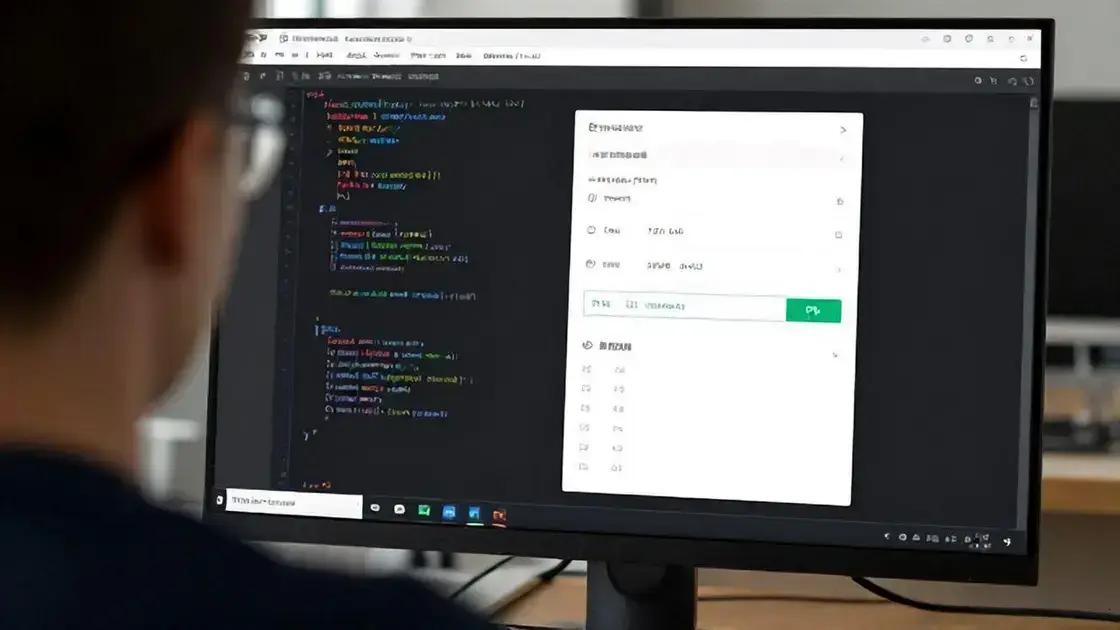

Instructor access and group management are essential features in online learning platforms, allowing educators to effectively control their courses and organize students. These tools enable instructors to add or remove students, create lessons, and monitor progress. Group management helps tailor learning experiences by organizing students into different groups for collaborative projects. Utilizing technology, such as learning management systems like LearnPress, simplifies group creation and task assignments. Regular monitoring of student performance ensures that instructors can provide timely feedback and support, ultimately enhancing the overall educational experience.
PressPrimer Quiz is changing the game for assessments in LearnPress courses! If you’re looking to enhance the learning experience, this plugin offers powerful tools that go beyond basic quizzes.
How LearnPress Integration Works
LearnPress is a powerful learning management system (LMS) that helps educators create and manage online courses. Integrating LearnPress with various tools can enhance its functionality. This integration allows you to create a more interactive learning experience for students.
Understanding LearnPress
LearnPress enables you to build courses easily. You can add lessons, quizzes, and assignments. It also allows for student management and progress tracking. But what if you want to add more features? That’s where integration comes in.
How Integration Enhances Functionality
Integrating LearnPress with other plugins can offer many benefits. For example, you can use quiz plugins to create advanced assessments. This makes quizzes more engaging and informative. You can also connect with payment gateways to manage course fees easily.
Using Add-ons for Better Experience
LearnPress has many add-ons available. These add-ons can help you customize your courses. You can add features like certificates, memberships, and more. Each add-on serves a specific purpose and can improve the learning experience.
Steps to Integrate LearnPress
To start integrating LearnPress, first, identify the tools you want to connect. Check if they are compatible with LearnPress. Then, follow the installation instructions for each plugin. Make sure to configure the settings to fit your needs. Testing the integration is crucial to ensure everything works smoothly.
Once integrated, you can monitor how these tools improve your courses. Keep an eye on student feedback and performance. This information can help you make further adjustments. Integration is not just about adding features; it’s about creating a better learning journey for your students.
AI-Powered Quizzes
AI-powered quizzes are transforming the way we assess learning in online courses. These quizzes use artificial intelligence to create a more engaging and personalized experience for students. With AI, quizzes can adapt to each learner’s needs, making assessments more effective.
What Are AI-Powered Quizzes?
AI-powered quizzes are assessments that use algorithms to analyze student responses. They adjust the difficulty of questions based on how well a student is performing. This means that if a student answers a question correctly, the next question may be harder. If they struggle, the quiz can offer simpler questions. This adaptive learning helps keep students challenged but not overwhelmed.
Benefits of Using AI in Quizzes
One major benefit of AI quizzes is their ability to provide instant feedback. Students can see their results right away. This immediate response helps them understand their strengths and weaknesses. It also encourages them to keep learning. Additionally, AI can track progress over time. Educators can see how students improve and where they need more help.
Creating AI-Powered Quizzes
Creating these quizzes is easier than you might think. Many learning management systems, like LearnPress, offer plugins for AI quizzes. These plugins often come with templates and question banks. You can customize them to fit your course content. This saves time and ensures your quizzes are relevant.
Challenges of AI-Powered Quizzes
While AI quizzes offer many advantages, there are some challenges. One concern is data privacy. It’s important to ensure that student data is secure and used responsibly. Another challenge is the need for technology training. Both teachers and students may need guidance on how to use these tools effectively.
Despite these challenges, AI-powered quizzes can greatly enhance the learning experience. They offer a dynamic way to assess knowledge and improve student engagement. As technology continues to evolve, these quizzes will likely become even more sophisticated and beneficial.
Measuring Course Effectiveness
Measuring course effectiveness is crucial for improving online learning. It helps educators understand how well students are learning. By using different methods, teachers can gather valuable insights into their courses.
Why Measure Course Effectiveness?
Understanding course effectiveness helps identify strengths and weaknesses. When you know what works, you can build on it. If something isn’t working, you can change it. This process leads to better learning outcomes for students.
Methods for Measuring Effectiveness
There are several ways to measure how effective a course is. One method is through student feedback. Surveys and questionnaires can provide insights into student satisfaction. Ask students about their learning experience. What did they like? What can be improved?
Another method is analyzing quiz and test scores. Look at how students perform on assessments. Consistently low scores may indicate that certain topics need more attention. It’s important to track progress over time to see if students are improving.
Using Analytics Tools
Many learning management systems, like LearnPress, offer analytics tools. These tools help track student engagement and performance. You can see how often students log in and how long they spend on each lesson. This data is helpful for understanding which parts of the course are most engaging.
Setting Learning Goals
To measure effectiveness, set clear learning goals. What do you want students to achieve by the end of the course? Make these goals specific and measurable. This way, you can assess whether students are meeting these objectives.
Regularly reviewing and adjusting your course based on this data is essential. By making improvements, you can enhance the learning experience. This leads to higher student satisfaction and better educational outcomes.
Incorporating these strategies will help you measure course effectiveness effectively. By understanding how well your course is performing, you can make informed decisions for future improvements.
Instructor Access and Group Management
Instructor access and group management are key features in online learning platforms. They help educators manage their courses and students effectively. With these tools, instructors can create a better learning environment.
Understanding Instructor Access
Instructor access allows teachers to control their courses. They can add or remove students, create lessons, and manage quizzes. This access is essential for maintaining the course’s quality. It also ensures that only authorized users can make changes.
Benefits of Group Management
Group management helps instructors organize students into different groups. This is useful for collaborative projects or discussions. By grouping students, instructors can tailor lessons to specific needs. For example, advanced students can work on challenging tasks, while others can focus on the basics.
How to Manage Groups Effectively
To manage groups effectively, instructors should first define clear goals. What do you want each group to achieve? Setting objectives helps guide group activities. Regular check-ins are also important. This keeps students engaged and allows instructors to provide support.
Using Technology for Group Management
Many learning management systems, like LearnPress, offer tools for group management. These tools allow instructors to create groups easily. They can assign tasks and monitor progress. Using technology simplifies the process and saves time.
Instructors can also use forums and chat features to facilitate communication. This encourages collaboration among group members. When students feel connected, they are more likely to participate actively.
Monitoring Student Progress
Monitoring student progress is crucial for effective group management. Instructors should regularly review group performance. This helps identify areas where students may need extra help. Providing feedback is essential for growth and improvement.
By focusing on instructor access and group management, educators can create a more organized and supportive learning environment. These features enhance the overall educational experience for both instructors and students.



