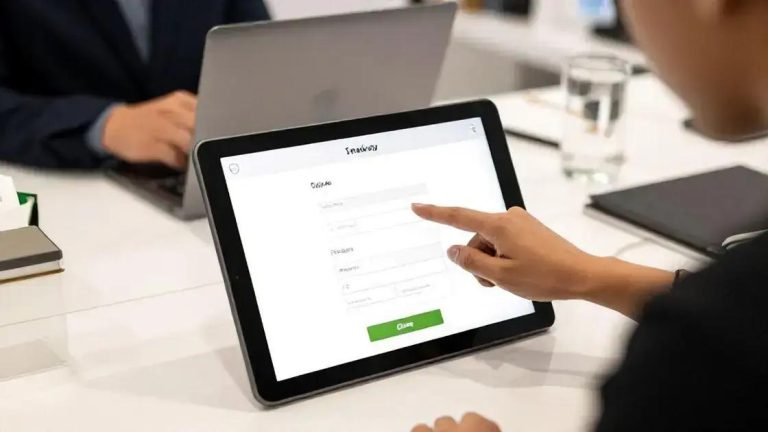





Enhancing user experience is vital for minimizing payment failures on eCommerce sites. Key strategies include simplifying the checkout process, optimizing for mobile devices, and offering multiple payment options. Clear error messages help users understand issues during transactions, while providing support options like live chat can assist customers in real-time. By focusing on these aspects, businesses can improve the payment experience, reduce cart abandonment, and foster customer loyalty.
Payment Errors can be a significant barrier to success on eLearning platforms. If you’re experiencing issues, don’t worry! This guide will help you troubleshoot and resolve common payment problems quickly.
Understanding Payment Gateway Configuration
Understanding Payment Gateway Configuration is crucial for any online business. A payment gateway is the technology that processes credit card payments for online and brick-and-mortar stores. It connects your website to the payment processor, ensuring that transactions are secure and efficient.
What is a Payment Gateway?
A payment gateway acts as a bridge between your customer’s bank and your business. When a customer makes a purchase, the payment gateway encrypts their payment information. This keeps sensitive data safe during the transaction. Without a payment gateway, you cannot accept online payments.
How to Configure Your Payment Gateway
Configuring your payment gateway can seem daunting, but it’s manageable with the right steps. Start by choosing a payment gateway provider that suits your needs. Popular options include PayPal, Stripe, and Square. Each has its own features, fees, and integrations.
Once you’ve selected a provider, create an account with them. Follow their instructions to link your bank account. This step is essential as it allows you to receive funds from your sales.
Next, integrate the payment gateway with your website. Most eCommerce platforms offer plugins or built-in features for easy integration. If you’re using WordPress, for example, you can find plugins that simplify this process. Just install the plugin and follow the setup guide.
Testing Your Payment Gateway
After configuration, it’s important to test your payment gateway. Make a few test transactions to ensure everything works smoothly. Check if payments are processed correctly and if customers receive confirmation emails. This step helps you catch any issues before going live.
Don’t forget to set up security features. Enable SSL (Secure Sockets Layer) on your website to protect customer data. Many payment gateways also offer fraud detection tools to help keep your transactions safe.
By understanding payment gateway configuration, you can provide a seamless checkout experience for your customers. This not only builds trust but also encourages repeat business. Remember, a smooth payment process is key to your online success.
Identifying Theme or Plugin Conflicts
Identifying Theme or Plugin Conflicts is essential for maintaining a smooth-running website. Conflicts can happen when two or more themes or plugins try to use the same resources. This can lead to errors, slow performance, or even crashes. Understanding how to spot these conflicts can save you time and frustration.
Common Signs of Conflicts
Look for signs that indicate a conflict. If your website suddenly behaves oddly, it might be due to a theme or plugin conflict. Common issues include features not working, error messages appearing, or layout problems. If you notice any of these, it’s time to investigate.
How to Diagnose Conflicts
Start diagnosing conflicts by disabling plugins one by one. Go to your WordPress dashboard and click on the Plugins section. Deactivate a plugin and check your site. If the problem goes away, you’ve found the conflicting plugin. Reactivate the plugins one at a time to find the exact source of the issue.
If the issue persists after checking plugins, consider switching to a default theme. Themes can also cause conflicts. Change your theme to a default one like Twenty Twenty-One. If this solves the problem, your previous theme may be the culprit.
Using Debugging Tools
WordPress has built-in debugging tools that can help. You can enable debugging by adding a line to your wp-config.php file. This will show you error messages that can help identify the problem. Look for errors related to plugins or themes in the messages.
Another useful tool is the Query Monitor plugin. This plugin provides detailed information about database queries, PHP errors, and more. It helps pinpoint which plugin or theme is causing issues. Install it and check the debug information for clues.
Preventing Future Conflicts
To prevent future conflicts, keep your themes and plugins updated. Developers regularly release updates to fix bugs and improve compatibility. Regularly check for updates and apply them to avoid issues. Additionally, consider using well-coded plugins and themes from reputable sources.
By identifying theme or plugin conflicts quickly, you can keep your website running smoothly. This ensures a better experience for your visitors and helps maintain your site’s reputation.
Enhancing User Experience to Minimize Payment Failures
Enhancing User Experience is key to minimizing payment failures. A smooth payment process can make a big difference for your customers. If users encounter issues during checkout, they may abandon their carts. This is why focusing on user experience is so important.
Simplifying the Checkout Process
Start by simplifying your checkout process. Make it as straightforward as possible. Limit the number of steps needed to complete a purchase. Each extra step can lead to frustration. Ensure that customers can easily find their way through the checkout.
Use clear labels for all fields. For example, instead of just saying “Address,” specify “Shipping Address.” This helps users understand what information you need. Also, consider offering a guest checkout option. Not everyone wants to create an account to make a purchase.
Mobile Optimization
With many users shopping on mobile devices, optimizing for mobile is crucial. Ensure your website is responsive and looks good on all screen sizes. A mobile-friendly site can significantly reduce payment failures. Test your site on different devices to ensure everything works smoothly.
Make buttons large enough to tap easily. Small buttons can lead to mistakes and frustration. Also, ensure that forms are easy to fill out on mobile. Use auto-fill options where possible to speed up the process.
Providing Multiple Payment Options
Offering multiple payment options can also enhance user experience. Some customers prefer credit cards, while others may want to use PayPal or digital wallets. By providing various choices, you cater to different preferences. This can help reduce payment failures significantly.
Additionally, display accepted payment methods clearly on your site. This reassures customers that their preferred method is available. It can also help them feel more secure during the transaction.
Clear Error Messages
If a payment fails, clear error messages are essential. Avoid vague messages like “Transaction failed.” Instead, provide specific reasons. For example, indicate if the card was declined or if there was a problem with the billing address. This helps users understand what went wrong and how to fix it.
Consider adding a support option for users who need help. A live chat feature can be beneficial. It allows customers to get immediate assistance if they encounter issues during checkout.
By enhancing user experience, you can minimize payment failures. A smooth, user-friendly process encourages customers to complete their purchases. This not only boosts sales but also builds customer loyalty.